
Social Media Automation Best Practices: Work Smarter, Not Harder
Learn how to automate your social media effectively without losing authenticity. Discover best practices for scheduling, automation, and maintaining human connection.
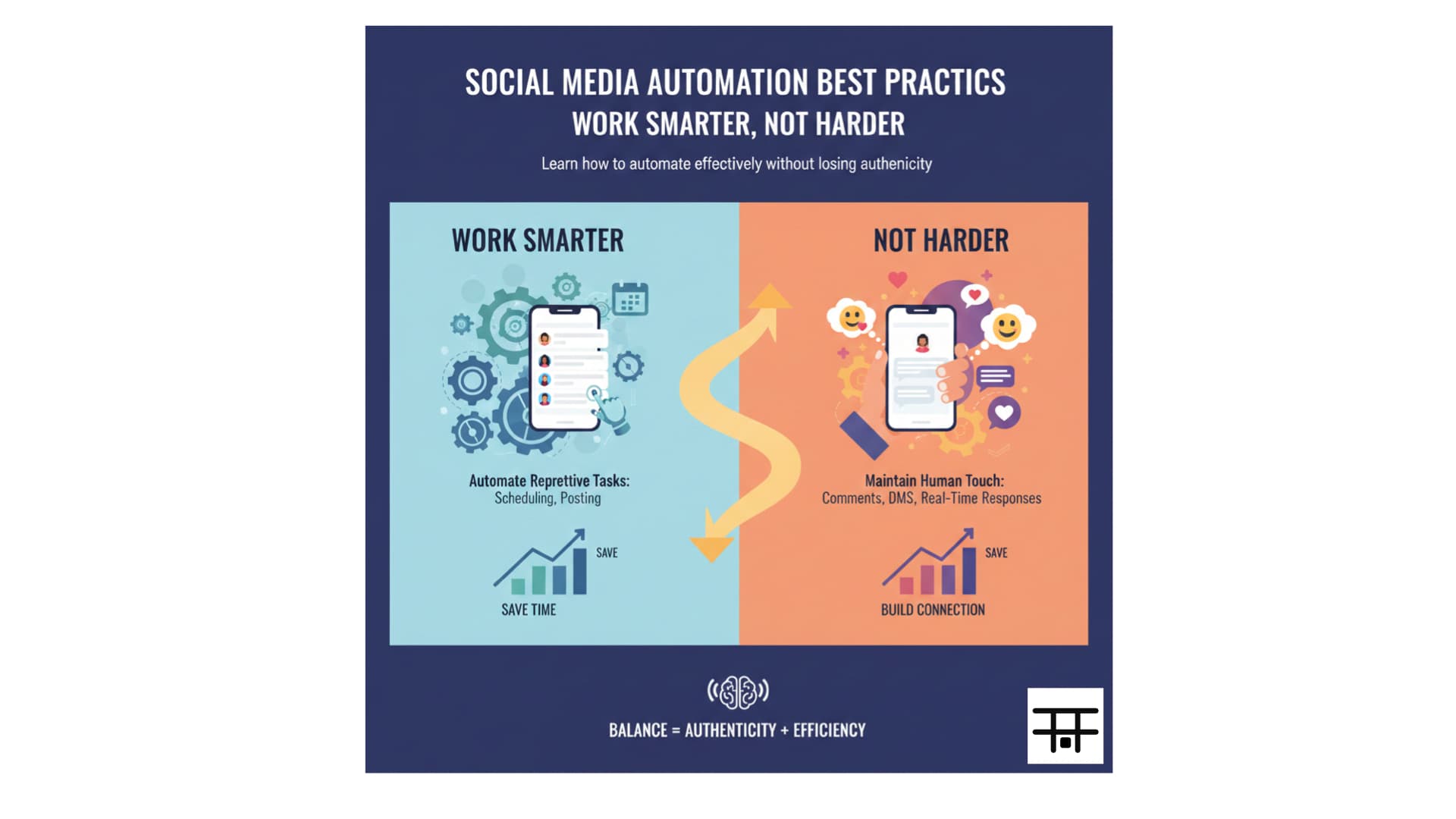
Social media automation can save hours of work while maintaining consistency and improving results. But automation done wrong can make your brand feel robotic, damage engagement, and hurt your reputation. The key is finding the right balance between automation and human touch.
Automate the repetitive tasks (scheduling, posting) but keep the human touch for engagement (comments, DMs, real-time responses). This balance maintains authenticity while saving time.
What to Automate (And What Not To)
✅ Good Candidates for Automation:
1. Content Scheduling
- Plan and schedule posts in advance
- Post at optimal times automatically
- Maintain consistent posting schedule
- Cross-post to multiple platforms
2. Content Distribution
- Share blog posts to social media
- Repurpose content across platforms
- Schedule content series
- Distribute content at optimal times
3. Basic Analytics Collection
- Track performance metrics
- Generate regular reports
- Monitor engagement rates
- Identify top-performing content
4. Content Curation
- Share industry news automatically
- Curate relevant content
- Schedule evergreen content
- Repost top-performing content
❌ What NOT to Automate:
1. Engagement and Responses
- Comments and replies
- Direct messages
- Real-time interactions
- Crisis management
2. Content Creation
- Writing captions (use as starting point)
- Creating original content
- Developing strategy
- Making creative decisions
3. Relationship Building
- Personal interactions
- Building connections
- Networking
- Community management
Scheduling Best Practices
1. Plan in Advance
Create content calendars:
- Monthly Planning: Overview of themes and campaigns
- Weekly Planning: Specific posts and content
- Daily Review: Monitor and adjust as needed
- Buffer Content: Always have extra content ready
2. Optimal Timing
Schedule for maximum engagement:
- Research Your Audience: When are they most active?
- Platform-Specific: Different times for different platforms
- Time Zones: Consider your audience's location
- Test and Adjust: Use analytics to refine timing
3. Maintain Consistency
Regular posting builds audience expectations:
- Set Schedule: Post at consistent times
- Frequency: Match your capacity (quality over quantity)
- Platform-Specific: Different frequencies for different platforms
- Be Realistic: Don't overcommit
4. Leave Room for Flexibility
Don't over-automate:
- Timely Content: Leave slots for current events
- Trending Topics: Ability to jump on trends
- Breaking News: Respond to industry news
- Spontaneity: Room for unplanned content
Content Automation Strategies
1. Content Repurposing
Turn one piece of content into many:
Blog Post → Social Media:
- Extract key points for posts
- Create quote graphics
- Share snippets with links
- Turn into video content
Video → Multiple Formats:
- Full video on YouTube
- Clips on Instagram Reels/TikTok
- Behind-the-scenes on Stories
- Quotes on Twitter/LinkedIn
Long-Form → Short-Form:
- Break down into series
- Create carousel posts
- Extract tips and insights
- Share highlights
2. Evergreen Content Scheduling
Schedule content that's always relevant:
- How-to guides: Always useful
- Tips and tricks: Timeless advice
- FAQ answers: Common questions
- Educational content: Industry basics
3. Content Series
Automate series posting:
- Weekly themes: "Tip Tuesday", "Feature Friday"
- Multi-part content: Series that build on each other
- Recurring topics: Regular content pillars
- Seasonal content: Plan ahead for holidays/events
Engagement Automation (Use Carefully)
Automated Engagement Tools:
What Can Work:
- Thank You Messages: Automated DMs for new followers (if personalized)
- Welcome Sequences: For new followers (if valuable)
- Comment Templates: Starting points (always customize)
- Engagement Reminders: Notifications to engage manually
What to Avoid:
- Auto-comments: Generic, spammy comments
- Auto-likes: Inauthentic engagement
- Auto-follows: Following/unfollowing automation
- Generic Responses: One-size-fits-all replies
Best Practices for Engagement Automation:
- Personalize: Always customize automated messages
- Provide Value: Make automated content useful
- Monitor Closely: Review all automated engagement
- Be Transparent: Let people know if using automation
- Have Human Oversight: Review and approve automated responses
Analytics and Reporting Automation
Automated Reporting:
What to Automate:
- Weekly Reports: Performance summaries
- Monthly Analytics: Comprehensive reviews
- Performance Alerts: Significant changes
- Competitor Monitoring: Track competitor activity
Key Metrics to Track:
- Engagement rates
- Follower growth
- Reach and impressions
- Click-through rates
- Best-performing content
- Optimal posting times
Using Automated Insights:
- Identify Trends: Spot patterns in performance
- Optimize Timing: Adjust posting schedule
- Refine Content: Focus on what works
- Make Data-Driven Decisions: Use insights to improve
Cross-Platform Automation
Multi-Platform Posting:
Benefits:
- Save time on manual posting
- Maintain consistency
- Reach all audiences
- Centralized management
Best Practices:
- Customize Per Platform: Adapt content for each platform
- Platform-Specific Timing: Optimal times for each platform
- Format Optimization: Right format for each platform
- Hashtag Strategy: Platform-specific hashtags
Platform-Specific Considerations:
Instagram:
- Native video performs better
- Stories require manual posting
- Reels need platform-specific optimization
Facebook:
- Native uploads preferred
- Groups require manual management
- Events need real-time updates
LinkedIn:
- Professional tone required
- Native video gets more reach
- Articles need platform-specific formatting
Twitter/X:
- Real-time engagement important
- Threads work well
- Timely content matters
Automation Tools and Platforms
Scheduling Tools:
Postonus:
- Multi-platform scheduling
- Content calendar
- Analytics and insights
- Team collaboration
Buffer:
- Smart scheduling
- Content library
- Analytics dashboard
- Team features
Hootsuite:
- Comprehensive management
- Advanced analytics
- Team workflows
- Content curation
Content Creation Tools:
Canva:
- Template library
- Brand kit
- Bulk creation
- Scheduling integration
Loom:
- Quick video creation
- Screen recording
- Easy sharing
Grammarly:
- Writing assistance
- Tone suggestions
- Consistency checks
Maintaining Authenticity
The Human Touch:
1. Personal Responses
- Always customize automated responses
- Add personal touches
- Show personality
- Be genuine
2. Real-Time Engagement
- Monitor for important comments
- Respond to crises immediately
- Engage with trending topics
- Show you're present
3. Behind-the-Scenes
- Share unscripted moments
- Show the human side
- Admit mistakes
- Be transparent
4. Community Building
- Build real relationships
- Remember conversations
- Follow up personally
- Show you care
Common Automation Mistakes
1. Over-Automation
Automating everything, including engagement and relationships.
2. Generic Content
Posting the same content everywhere without customization.
3. Ignoring Engagement
Setting and forgetting without monitoring performance.
4. Poor Timing
Scheduling without considering optimal times.
5. Lack of Flexibility
No room for timely or trending content.
6. Inauthentic Engagement
Using bots or generic automated responses.
7. No Human Oversight
Fully automated without monitoring or adjustment.
Automation Workflow Example
Weekly Workflow:
Monday: Planning
- Review analytics from previous week
- Plan content for upcoming week
- Identify trends and opportunities
- Schedule content for the week
Tuesday-Thursday: Creation
- Create content for next week
- Write captions
- Design visuals
- Prepare assets
Friday: Scheduling
- Schedule all content for next week
- Set optimal posting times
- Review and approve content
- Set up automation
Daily: Engagement
- Monitor scheduled posts
- Respond to comments
- Engage with audience
- Adjust if needed
Measuring Automation Success
Key Metrics:
Efficiency Metrics:
- Time saved
- Content output
- Consistency rate
- Error reduction
Performance Metrics:
- Engagement rates
- Follower growth
- Reach and impressions
- Conversion rates
Quality Metrics:
- Content quality
- Response times
- Audience satisfaction
- Brand perception
Best Practices Summary
Do:
- ✅ Automate scheduling and posting
- ✅ Use automation for repetitive tasks
- ✅ Maintain human oversight
- ✅ Customize content per platform
- ✅ Monitor and adjust regularly
- ✅ Keep engagement personal
- ✅ Provide value in automated content
- ✅ Be transparent about automation
Don't:
- ❌ Automate all engagement
- ❌ Use generic automated responses
- ❌ Set and forget
- ❌ Ignore analytics
- ❌ Over-automate
- ❌ Lose authenticity
- ❌ Skip human review
- ❌ Automate relationships
Conclusion
Social media automation is a powerful tool when used correctly. It can save time, improve consistency, and help you scale your social media presence. But success requires finding the right balance - automate the repetitive tasks while maintaining the human touch that makes your brand authentic and relatable.
Key takeaways:
- Automate scheduling: Save time on repetitive posting
- Keep engagement human: Personal responses build relationships
- Customize per platform: Adapt content for each platform
- Monitor closely: Review performance and adjust
- Maintain flexibility: Leave room for timely content
- Provide value: Even automated content should be valuable
- Stay authentic: Automation should enhance, not replace, authenticity
Remember, automation is a tool to help you work smarter, not a replacement for strategy, creativity, and genuine engagement. Use it to free up time for the high-value activities that require human insight and connection.
Ready to automate your social media efficiently? Try Postonus to schedule, manage, and automate your social media content while maintaining authenticity and engagement.


