Effortless social media scheduling

It's Monday and you forgot to publish Friday's post. Again. Postonus doesn't forget. Drop a week of posts into one calendar and they go out on time across every channel.

14 days free. No card.

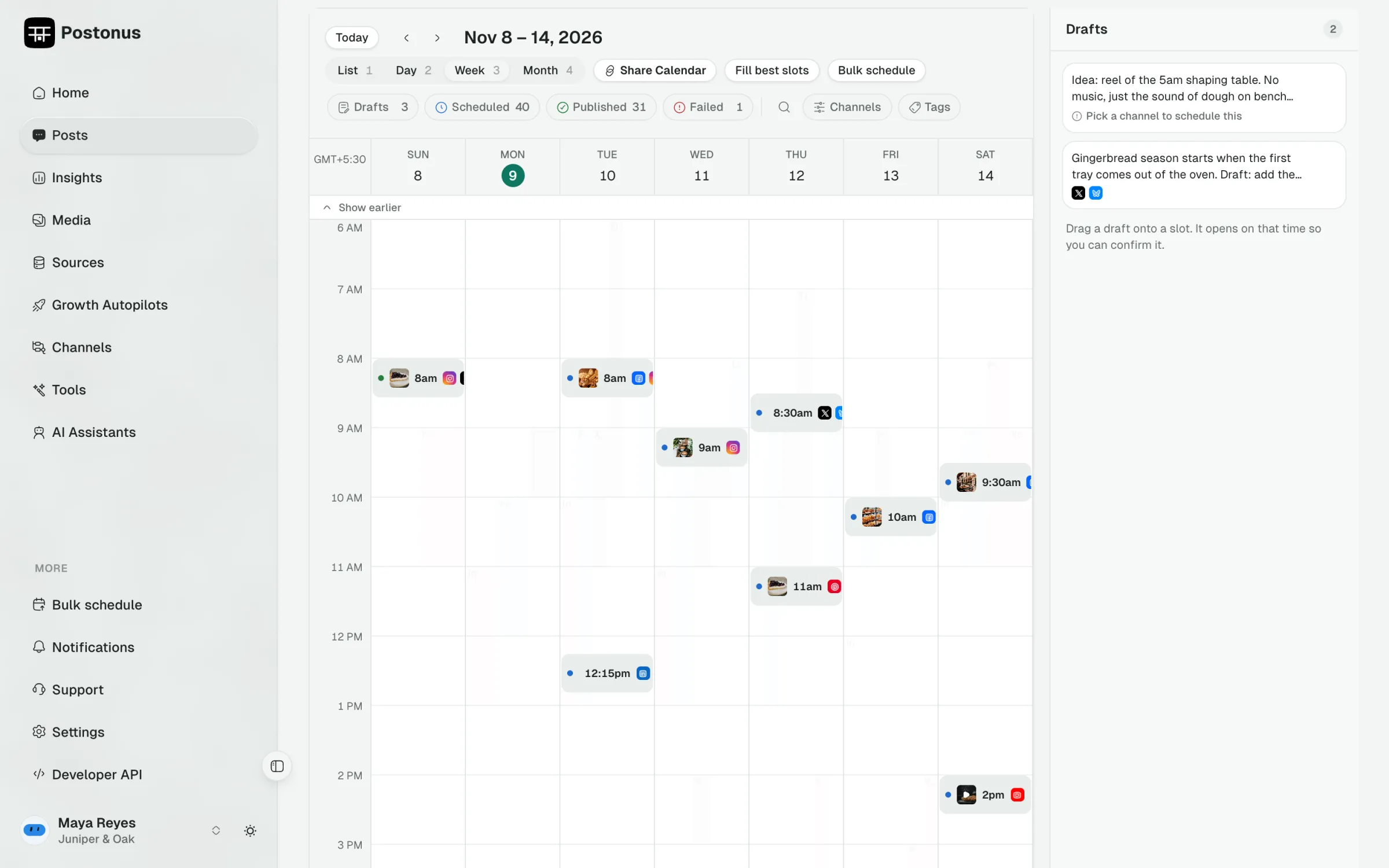
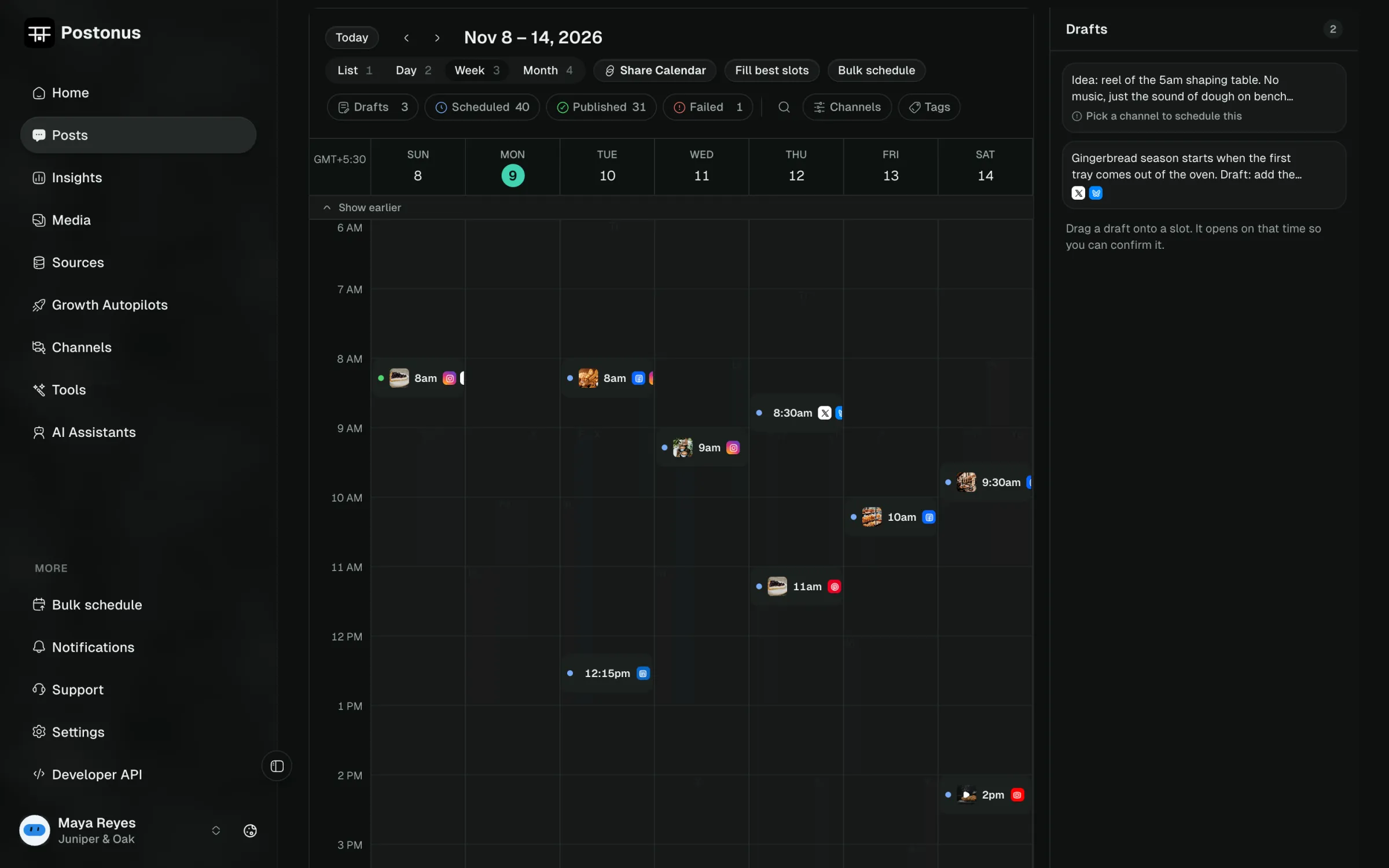
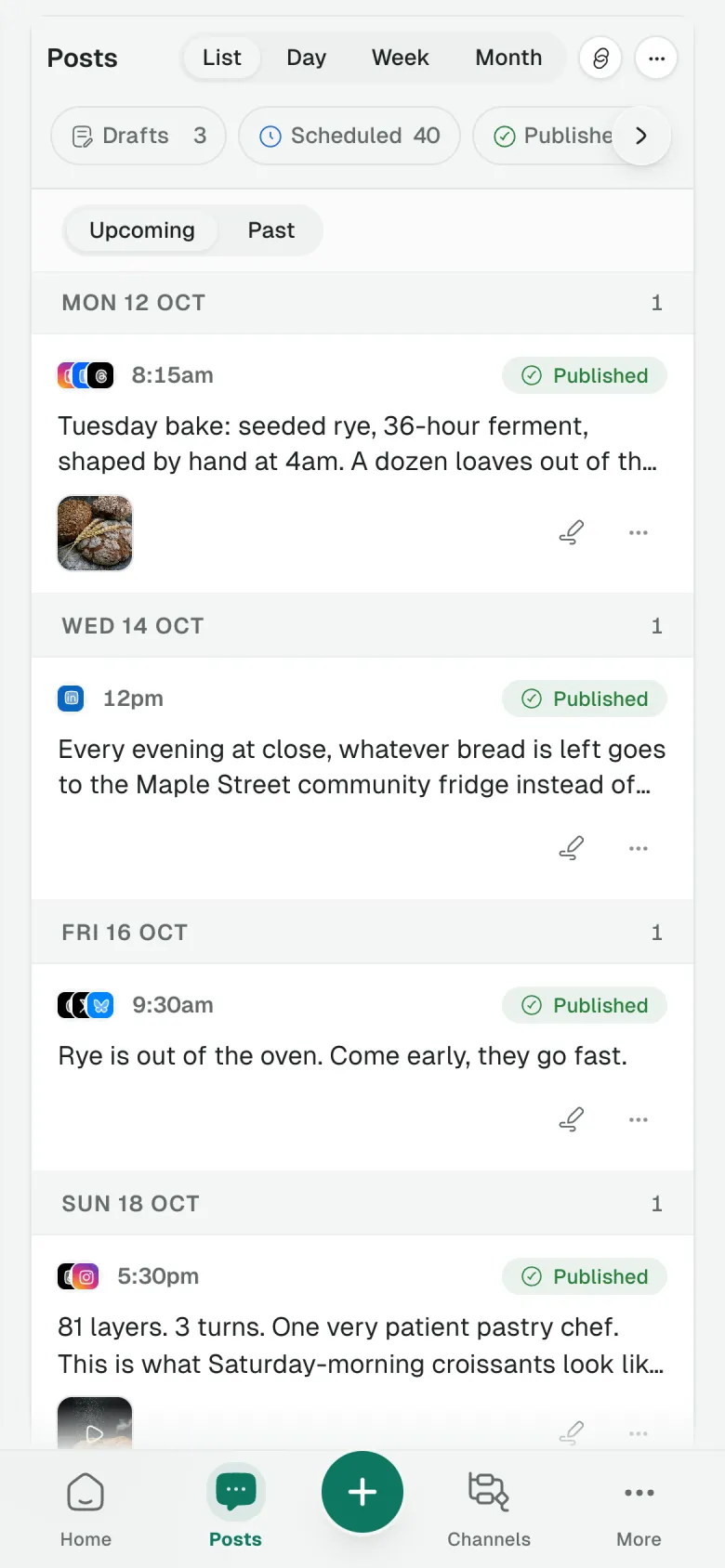
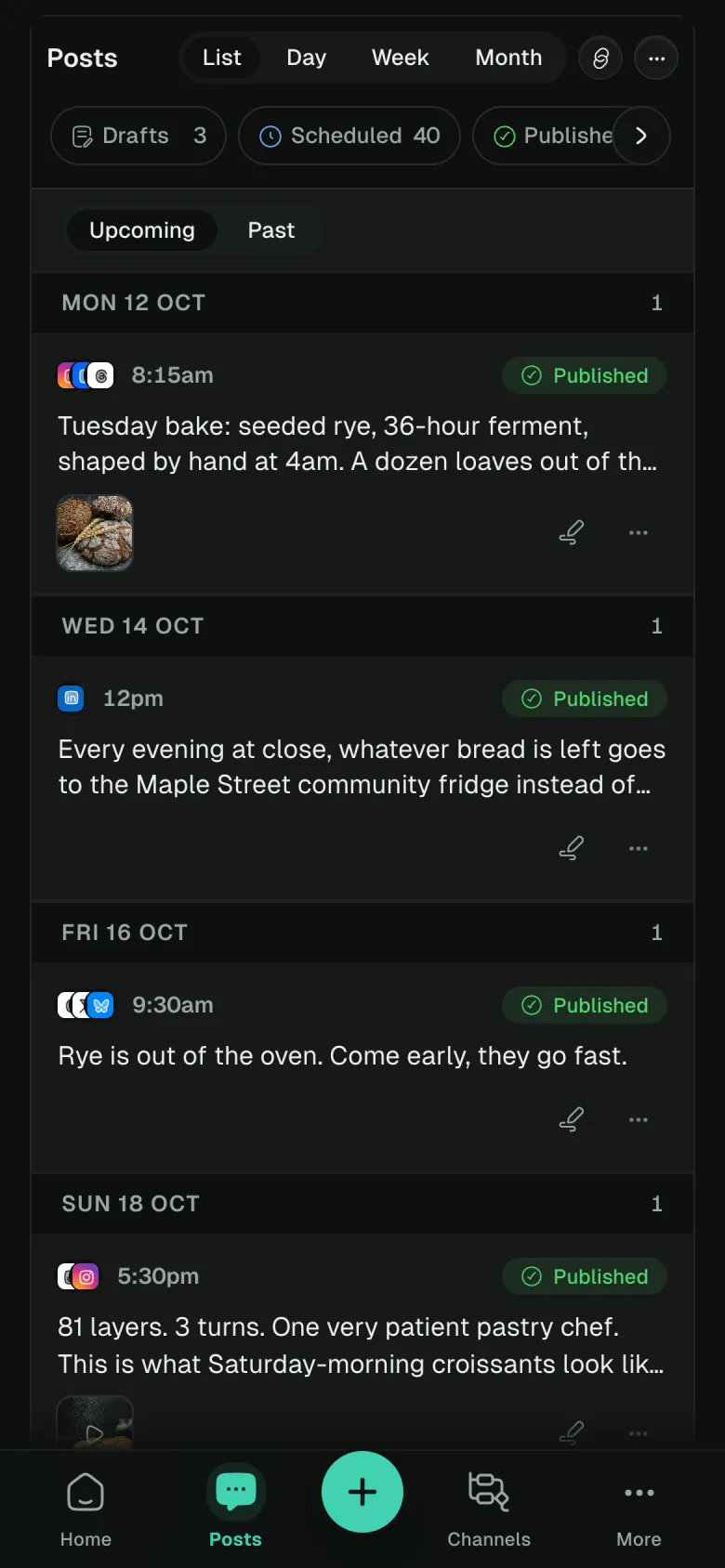
Postonus week calendar with posts scheduled across every channel

Channels Postonus publishes to

Publishes to 16 platforms, from one calendar

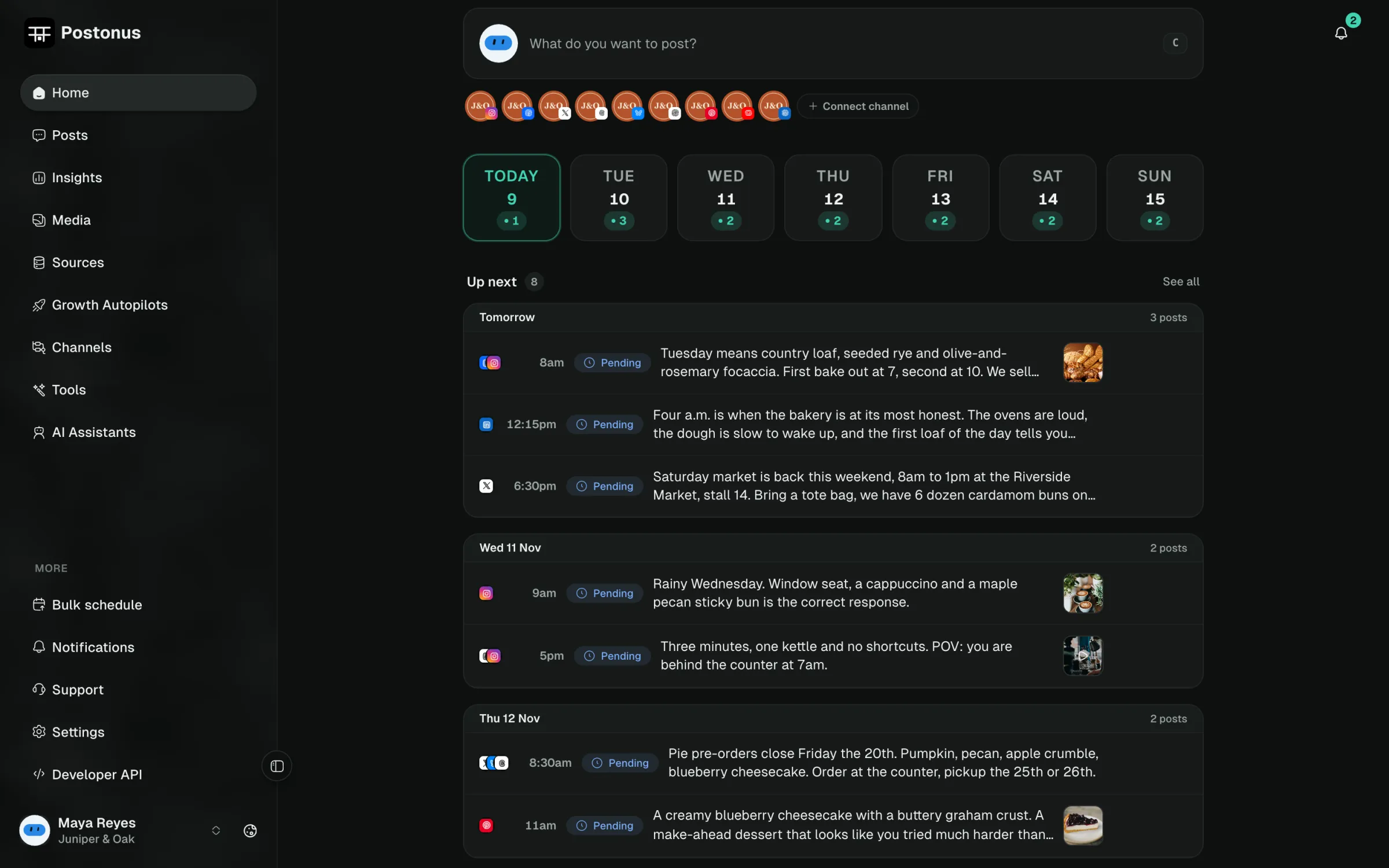
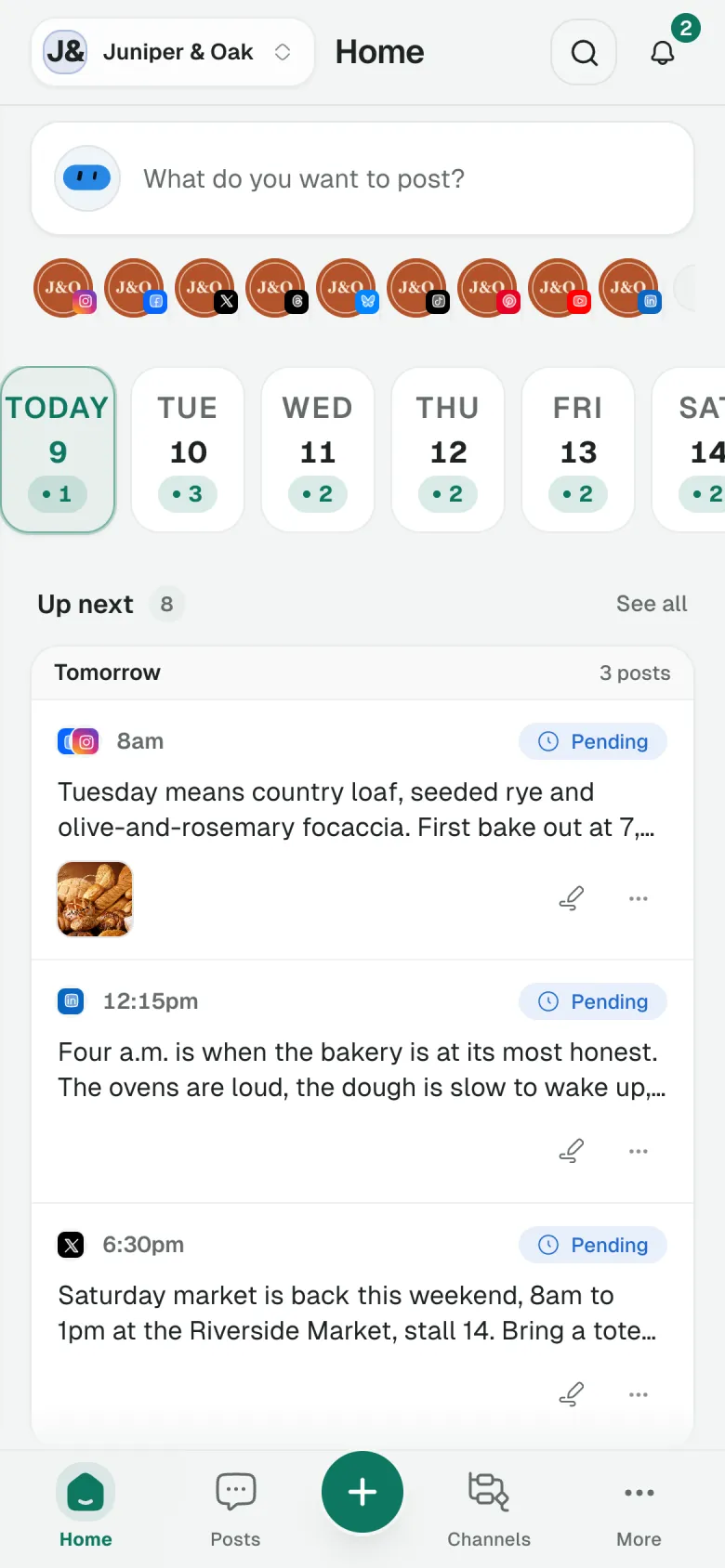
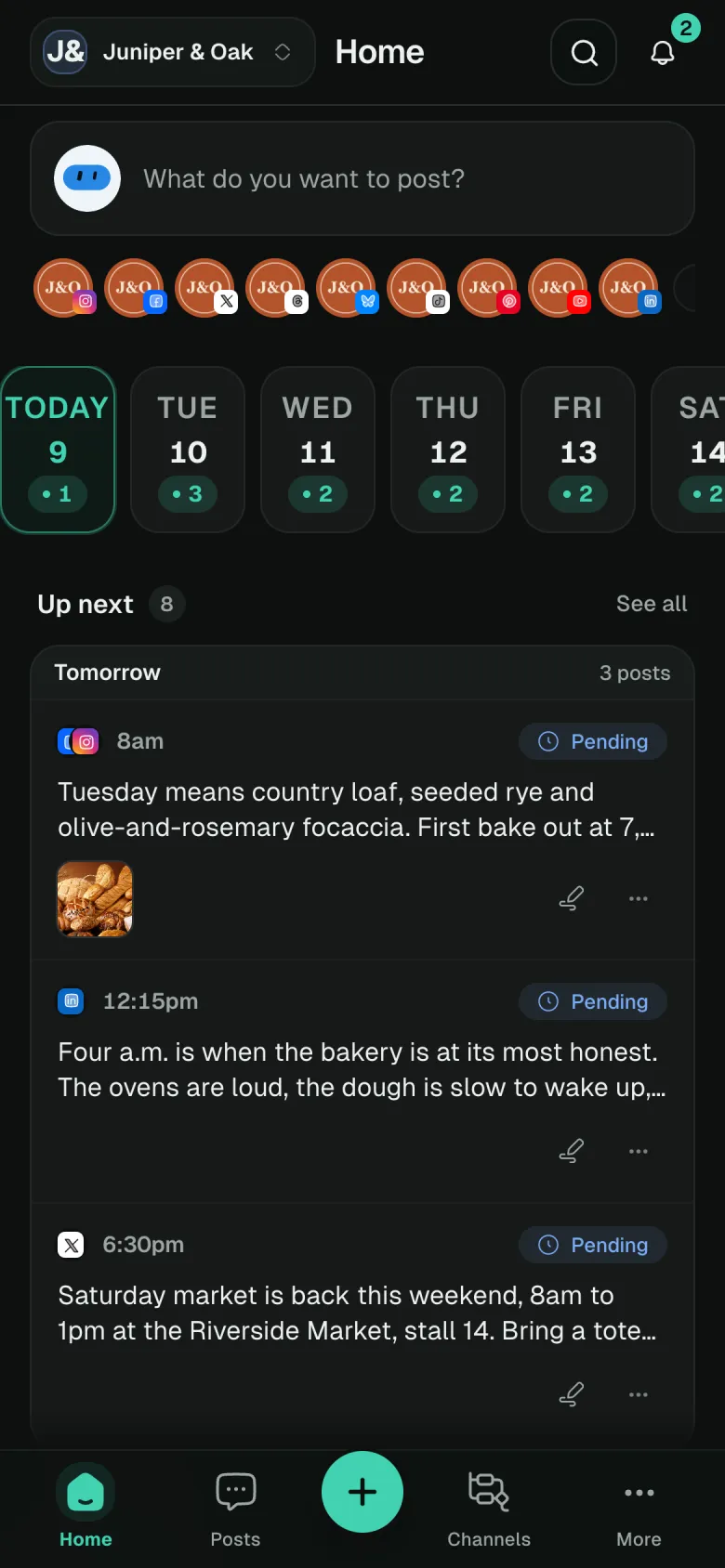
This is the app. Real screens from a demo bakery’s week.

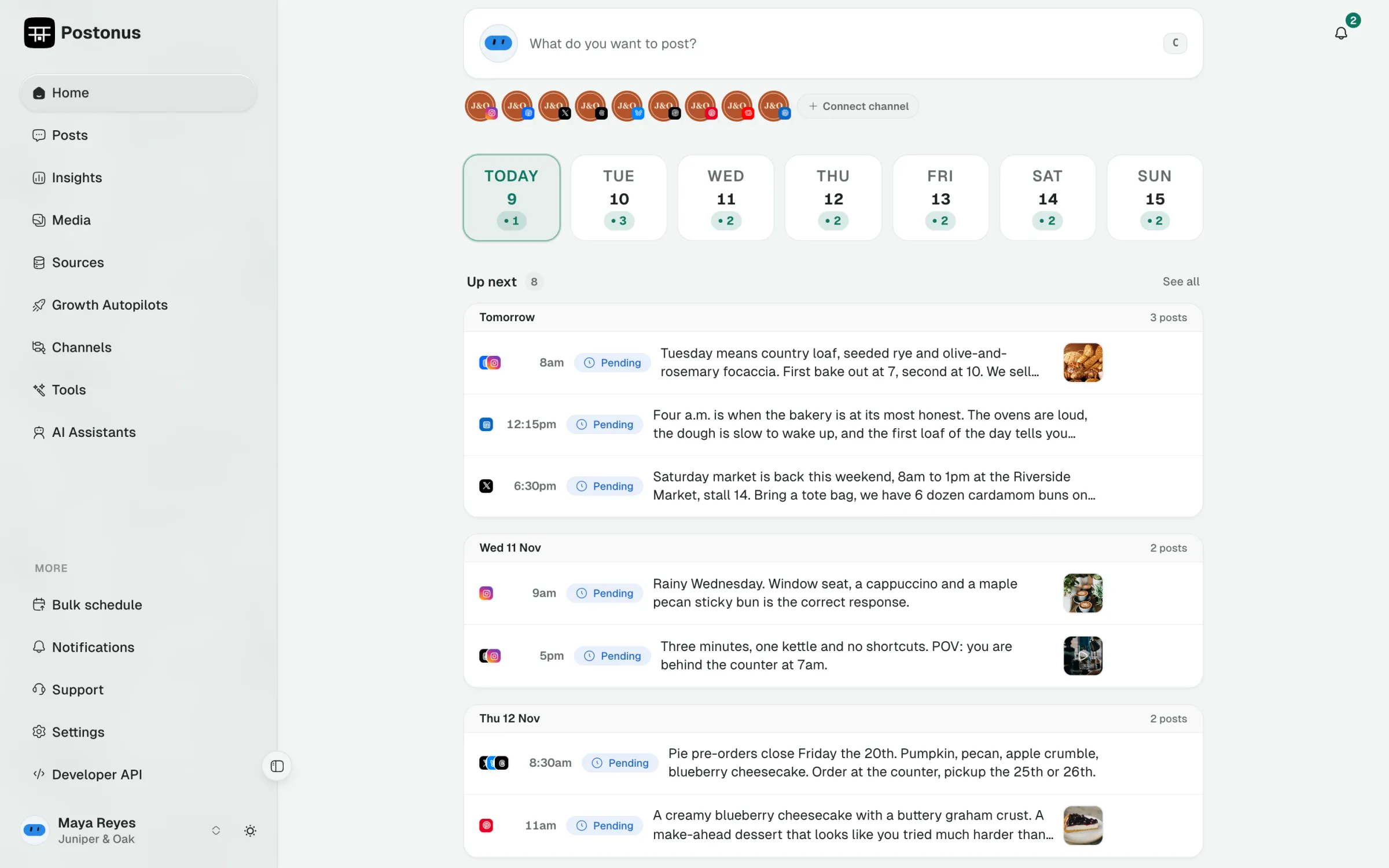
Postonus home screen with the next seven days, posts that need attention and drafts
What goes out next, what needs a fix, and what is still a draft, before you open anything else.

Plan the whole week at once. Postonus fits every post to its platform, then sends it out on time across all 16.

Growth Autopilots that repurpose your best posts across new channels.

Mine the platform you’re already winning on, adapt each post for the channel you want to grow, and drip the drafts into your schedule for one-click review.

In practice: a founder’s best LinkedIn posts from last quarter come back as Threads and Bluesky drafts every Tuesday, ready to approve over coffee.

where you're famous

Autopilot

where you want to grow
One idea, sized to fit every platform.

Hand the AI Assistant one draft. It writes a variant per channel, in your voice, and keeps each one inside that platform's real character limit.

In practice: one product-launch note becomes a 280-character X post, a longer LinkedIn story and a punchy Threads line, each under its limit.

draft

Shipped v2 of our scheduler today.

X

60/280

Shipped v2 of our scheduler. Tighter queue, fewer surprises.

LinkedIn

72/3000

We shipped v2 today. A more predictable queue, and here is what changed…

Threads

43/500

v2 just landed. Same scheduler, less noise.

Your client approves without an account.

One workspace per brand, one bill. Share a public calendar link, with an optional password, an expiry date and a watermark. Clients approve, reject or comment on each post, every review lands in the post’s activity history, and AI can rewrite the post from their comments.

In practice: an agency sends a café owner Friday’s link; she approves two posts from her phone, comments “use the croissant photo” on the third.

  • Palace CinemaFilm

    share link2 awaiting approval

  • Fold CoffeeFood and drink
  • Ninebark GamesGaming

Calendar and queue that match how you actually plan.

A week at a glance. Drag to reschedule. Recycle indicators on evergreen posts so nothing important quietly disappears.

In practice: a solo creator blocks Sunday evening, fills the next seven days across six channels, then only checks Home each morning.

mon
tue
wed
thu
fri
sat
sun

Your evergreen posts come back on their own.

Tag a post, then pick the days and times it can return. A cooldown, 30 days by default, stops the same post repeating.

In practice: a recipe blog’s top ten pins return every five weeks through the holidays, without anyone rebuilding the schedule.

Top postTue 09:00Fri 17:00

waits 30 days before it repeats

16 platforms in one calendar.

Connect every account you publish to, including Bluesky, Reddit, Threads, Discord, and Google Business Profile.

In practice: a dentist’s office posts the same opening-hours update to Instagram, Facebook and Google Business Profile in one go.

One post

Insights that tell you what to post next.

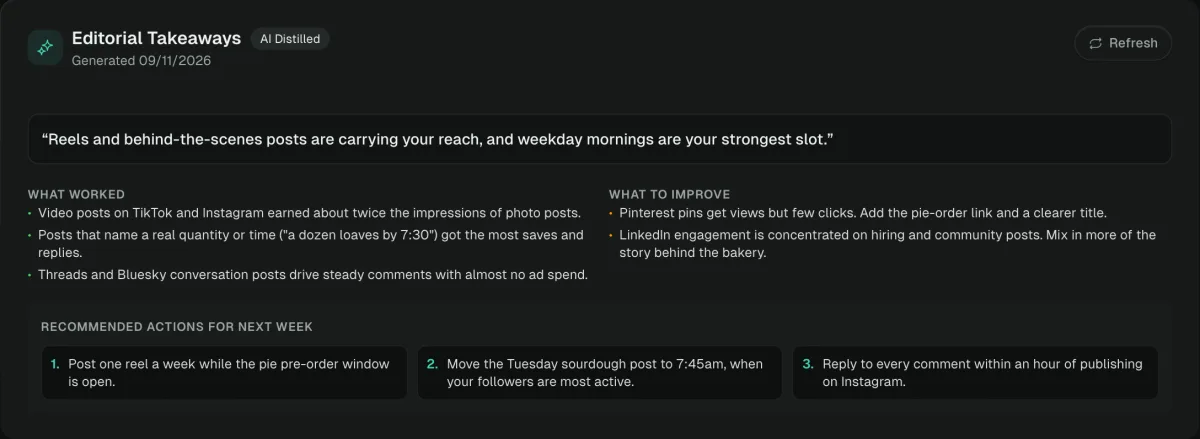
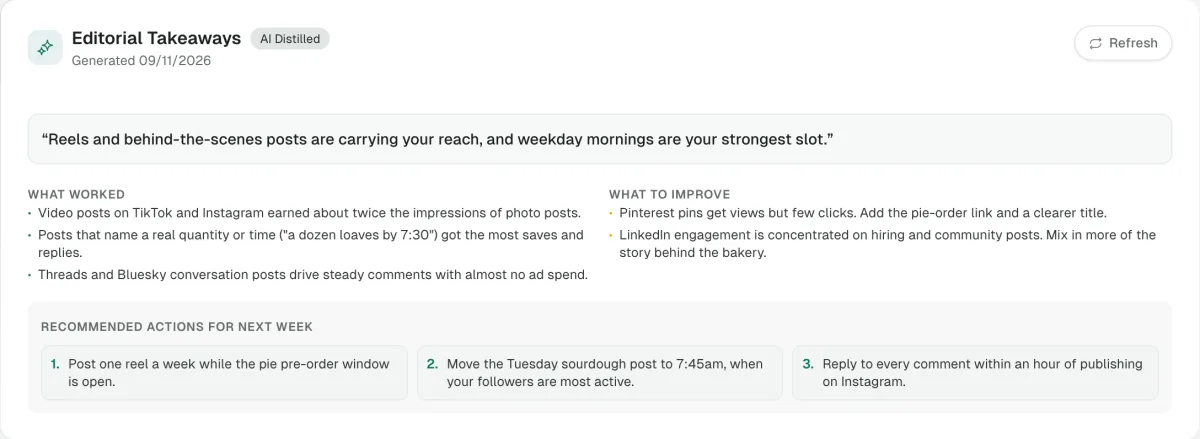
Reach and engagement from every channel in one place, with a plain-language summary of what worked and three things to try next week.

In practice: a coach sees reels outperform photo posts two to one, moves her Tuesday slot to 7:45am, and plans next week around it.

Postonus insights takeaways: what worked, what to improve, and recommended actions

One media library for every channel.

Upload once into folders, reuse from the composer, and get 1:1, 4:5 and 9:16 versions made for you.

In practice: a shop uploads one product shoot and gets the Instagram 4:5, the Story 9:16 and the square for X without opening an editor.

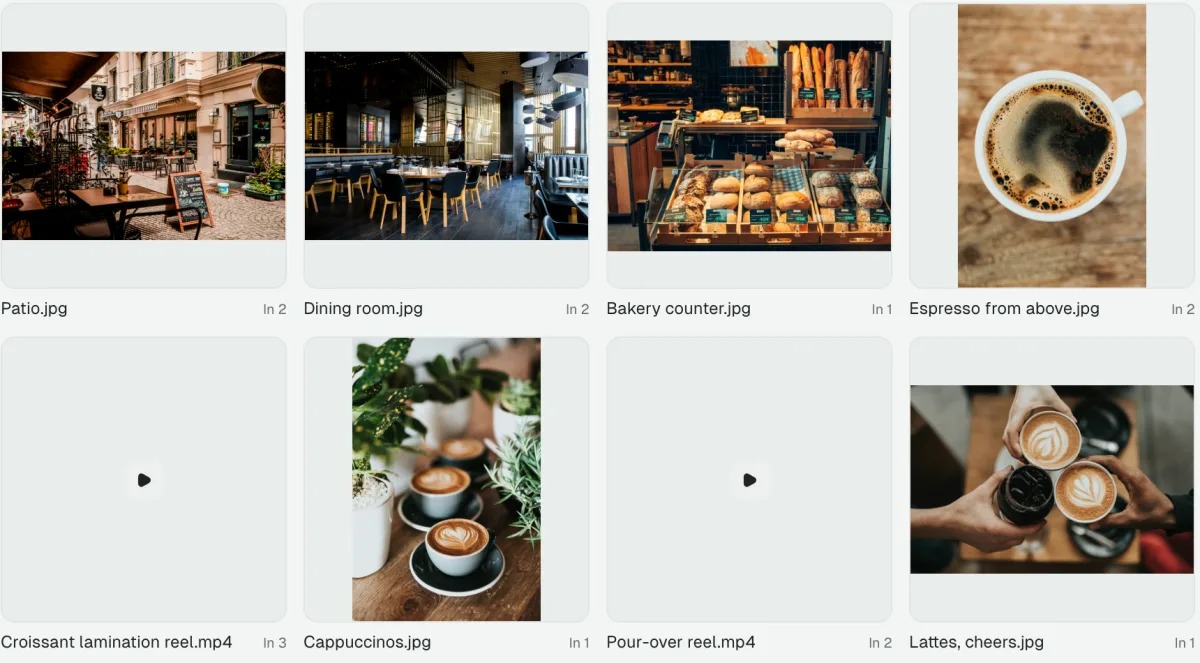
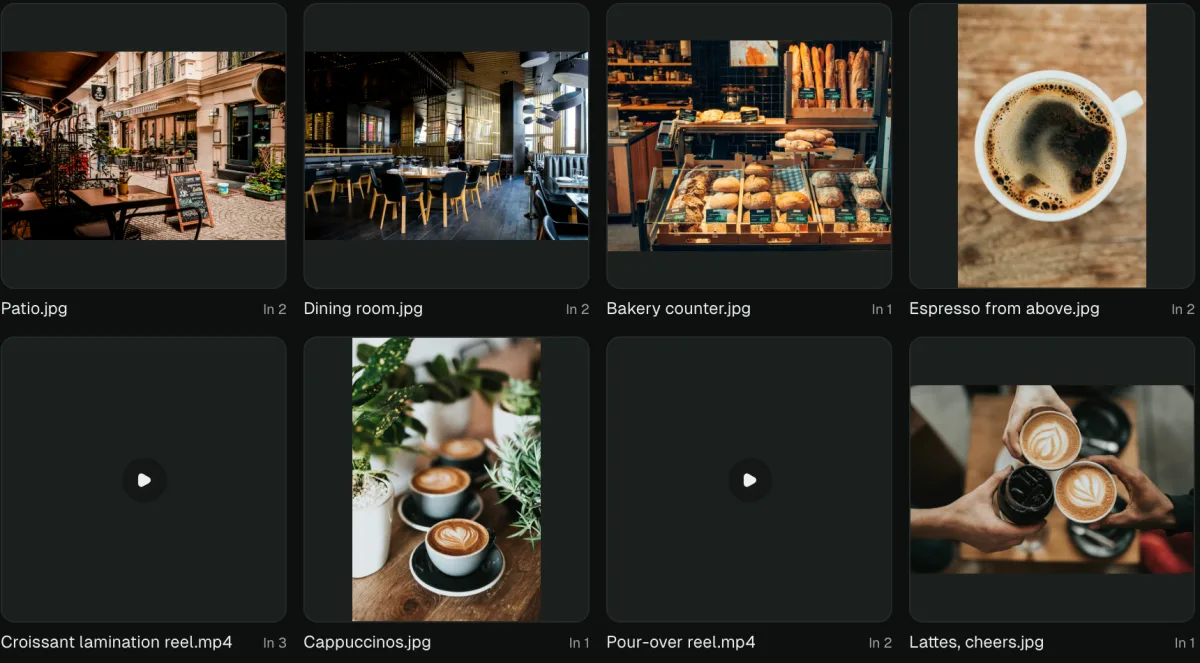
Postonus media library with photos and reels in a grid

What people say about the parts they use most, from creators and marketers who dropped four scheduling apps for one.

Review before publish

“I batch TikToks on Sunday nights. Before, I’d set alarms to post them. Now they sit in the queue, I give each one a last look in the morning, and they go out. Small thing, but it gave me my Monday back.”

Fabian de Laender
Fabian de Laender
@faapz

Approvals

“We run socials for four brands with three people. Comments live on the post now, not in a Slack thread nobody can find, and you can’t approve your own draft. That rule alone stopped a lot of ‘who signed off on this?’”

Kavya Manupati
Kavya Manupati
@kavyamanupati

Bulk CSV

“I moved three months of posts for nine accounts in with one CSV. Got the columns wrong the first time, fixed it, done in about an hour and a half. That used to be my whole week.”

Jakeer Visuals
Jakeer Visuals
@jakeervisuals

Media sized per platform

“I upload a photo once and Instagram gets the 4:5 crop, X gets the square. For reels I scrub to the frame I want and that’s the cover everywhere. I stopped exporting thumbnails in a second app.”

Tijs Verbeek
Tijs Verbeek
@tijs-verbeek

AI assistants (MCP)

“I connected Claude to Postonus and now I just say ‘turn this blog post into a LinkedIn post and a thread for Thursday’. It saves them as drafts, so I still read everything before it goes out.”

Swati Kujur
Swati Kujur
@swatikujur

Client calendar links

“My clients never wanted another login. Now I send one calendar link, they tick or comment on each post, and I don’t have to chase approvals through email anymore.”

Jibin D'Cruz
Jibin D'Cruz
@jibindcruz

Evergreen recycling

“I tagged my five best carousels as evergreen months ago and forgot about them. They keep coming back every few weeks, still getting saves. Free reach I didn’t have to plan.”

William Li
William Li
@william-li-musing

One subscription

“I was paying for one tool for Instagram and another for LinkedIn and X. Cancelled both. One calendar, one bill, and it’s cheaper than either was.”

Deep Sengupta
Deep Sengupta
@deep232

Free tools

“I only came for the free LinkedIn formatter. Used it for weeks before I noticed there was a whole scheduler behind it. Now my posts go out from there too.”

Themba
Themba
@thembamahlangu

You don't have to open the dashboard. Wire it into how you already ship: the CLI, the API or Claude post your release notes, changelogs and launch threads from one place.

postonus

$ postonus post "shipped it" --to x,linkedin --optimal

Scheduled 2 posts (pst_8f21c4)

$ postonus queue list

Aug 1, 09:30 x @sam scheduled

Aug 1, 09:30 linkedin Sam Rivera scheduled

MCPLet Claude use your calendar
Add Postonus as a connector in Claude Desktop, Cursor, or ChatGPT. Your assistant can see your channels, check the queue, and schedule posts, through the same code the dashboard runs on.
CLInpm i -g @postonus/cli
Sign in from a terminal, then post, queue, and upload media without opening a browser. Every command takes --json, so it pipes into whatever you already use.
API keysAnnounce every release from CI
Scope a key to one workspace and call the API, or the CLI, from a GitHub Action, and have each tag draft its release notes for LinkedIn, X and Bluesky, with dryRun to rehearse and an idempotency key so a retried job never posts twice.

All three are on every plan, including Hobby. What changes as you move up is how much you can push through, not what you can reach.

Post from any tab. The composer opens in your browser’s side panel, next to what you are reading.

Coming soon to Chrome, Edge and Firefox

Post about the page you are on
Open the side panel, and the link, title and a quote you selected are already in the draft.
Cross-post a tweet in one click
On any post on X, send it to LinkedIn, Threads and Bluesky, each fitted to its own limits.
The same composer as the dashboard
Same channels, previews, character limits and schedule. Nothing to learn twice.

Pick a plan that matches how much you publish. Switch plans or cancel any time.

Save up to 20%

Hobby

For personal use.

$9.58/mo

Billed $115/yrsave $29/yr


  • Up to 10 social accounts
  • 1 workspace
  • Schedule 300 posts/month
  • 50 X credits/month
  • 10GB media storage
  • 60 AI Assistant credits/month
  • Calendar & queue management
  • Per-channel post overrides
  • Bulk CSV scheduling
  • Tags & filters
  • Unlimited drafts
  • Media library with per-platform variants
  • MCP server, CLI & API access
  • Community support
Start free trial

14 days free, no card · cancel any time

Most popular

Pro

For professionals managing multiple clients.

$16.83/mo

Billed $202/yrsave $50/yr


  • Up to 50 social accounts
  • 3 workspaces on one subscription
  • Unlimited posts on most platforms
  • 200 X credits/month
  • 50GB media storage
  • 300 AI Assistant credits/month
  • Everything in Hobby, plus:
  • Growth Autopilots (repurpose top posts across channels)
  • Recycle rules for evergreen posts
  • Optimal time recommendations
  • Priority email support
Start free trial

14 days free, no card · cancel any time

Business

Ideal for agencies and enterprises.

$79.17/mo

Billed $950/yrsave $238/yr


  • Unlimited social accounts
  • Unlimited workspaces on one subscription
  • Unlimited posts on most platforms
  • 1,000 X credits/month
  • Unlimited media storage
  • Unlimited AI Assistant credits
  • Everything in Pro, plus:
  • Onboarding call with founders
  • Dedicated support
Start free trial

14 days free, no card · onboarding call included

X charges for every post its API publishes, and far more when the post has a link, so X has its own monthly allowance on each plan. Need more? Add 200 X credits for $10 any time.

Compare every limit on the pricing page

Questions

Ask us what it can do. The short answer is usually yes.

Publishing

Can one post really go everywhere, and still fit each platform?

Yes. Write once and Postonus fans it out to 16 platforms, each as its own variant. Character and media limits are checked live, images get 1:1, 4:5 and 9:16 crops on their own, one video cover reaches every platform that takes one, and long posts become a native thread where the platform supports it.

What happens when a platform has a bad day?

You probably won't notice. Workers retry rate limits and outages on their own, and refresh expired tokens mid-publish. If a post still can't go out, it waits in Needs attention with the platform's exact error and a one-click retry, and you get one digest email, not a flood.

Do my best posts have to die after one day?

No. Mark a post evergreen, set a rule such as every 30 days on weekdays, and it comes back to the queue on its own. The calendar shows what is returning, so the feed never looks like a rerun.

AI & agents

Can my winning posts grow a brand-new channel?

That is what Growth Autopilots do. Pick a source where you already win and a channel you want to grow. Postonus finds your top posts, adapts each one for the new audience, and drips drafts into your schedule for one-click review. Nothing publishes without your sign-off.

Can Claude or Cursor schedule posts for me?

Yes, on every plan. Connect Claude, Cursor or any MCP client, or use the postonus CLI and the REST API. Every post shows where it came from, and one setting holds agent-made posts for human approval before they publish.

Will AI make every post sound the same?

No. AI Refine adapts your draft to each platform's shape (length, tone, hashtags) and you review every variant. It can also apply your reviewers' comments as a diff you accept or reject. One refine costs channels + 1 credits, so a single platform is 2.

Will it tell me what is actually working?

Yes, in plain words. Insights leads with AI takeaways (your wins and what to try next) then impressions, engagement, clicks and your top 10 posts. Export the numbers as CSV or JSON whenever you like.

Teams & clients

Can my client approve posts without making an account?

Yes. Send a shareable calendar link with an optional password, expiry and watermark. Clients approve, reject or comment on each post, and every decision lands in that post's activity timeline.

Can I keep every client in their own space?

Yes. Each workspace has its own channels, posts, media and team. Invite people as Owner, Admin or Member, and review posts per platform before they go live. Pro covers 3 workspaces; Business has no limit.

Do you ever see my social passwords?

Never. Every account connects through the platform's official OAuth. Tokens are encrypted at rest and limited to the permissions publishing needs. Disconnect any account from settings at any time.

If I leave, does my content leave with me?

Yes. Every post, draft and media file is yours and readable through the API and CLI on any plan, and Insights exports as CSV or JSON. No lock-in, no hostage accounts.

Plans & billing

Can I try everything before I pay?

Yes. 14 days, every feature, no card. Only X posting waits for a paid plan, because X charges for every post. After the trial the workspace is read-only until you choose a plan, nothing is deleted.

What counts as a post?

One publish to one connected account. A post sent to LinkedIn, X and Threads counts as three. Drafts are unlimited, so plan as far ahead as you want.

Why does X have its own limit?

X charges for every post sent through its API, so each plan includes a set number of X posts. The other platforms cost little to publish to, so their limits are generous.

Can I change plans later?

Any time, from workspace settings. Upgrades start now; downgrades and cancellations apply at the end of the billing period.

Still on the fence? We answer fast.

Email the founders →

Including the channels other schedulers skip.

Bluesky, Reddit, Threads, Discord, and Google Business Profile publish from the same calendar as Instagram and LinkedIn. Connect once, then schedule everywhere.

Instagram
TikTok
YouTube
LinkedIn
Threads
Facebook
Twitter
Bluesky
Pinterest
Telegram
Google
Mastodon